Everything marked Available works today. Nothing on this page is a roadmap item written in the present tense. Where something is planned but unbuilt, it says so.

How it works

A catalogue, not a sales call

Modules are installed from a catalogue inside the dashboard. Click install and everything that module keeps track of appears in your business, ready to use. It takes seconds and doesn’t involve us.

Dependencies come along automatically. Install Irrigation and it brings Equipment and Fuel with it, because a pump is equipment and it burns diesel. You don’t have to work that out, and you don’t pay twice for it.

Once installed, what it set up is yours. Add your own details, rename things, work out your own numbers. We don’t reach back in and write over your changes.

Livestock — $25/month

The deepest module, by a distance

Cattle, sheep and goats. Built and used daily on a working operation, from the paddock’s feed through to carcase feedback from the abattoir.

  • Mobs, groups and movements Location comes from movement history, so “where is that mob” is answered from what actually happened, not a field someone forgot to update.
  • Weights and traits over time Live weight, body condition, faecal egg count, carcase weight and grade — all as history, not a single current value.
  • Weigh from a photo — kept apart from the scale Photograph an animal and get an estimated liveweight. It’s stored as an estimate, never as a scale weight, so it never doses an animal, never goes into a kill batch and never moves the mob’s growth rate. It reads the ear tag too, matching only on an exact read.
  • Scale imports Gallagher weigh sessions import by electronic tag, matching existing animals and creating new ones. Other formats import via column mapping.
  • NLIS reconciliation Import your NLIS portal files and reconcile them against your own records. Treated as a paper trail to check against, not as the truth about your herd.
  • Vet treatments with withholding Meat and export withholding windows frozen at time of treatment, stock drawn down, cost applied per head.
  • Kill batches Book, dispatch, record the kill, capture the kill sheet, apportion the invoice per head, and reconcile against NLIS.
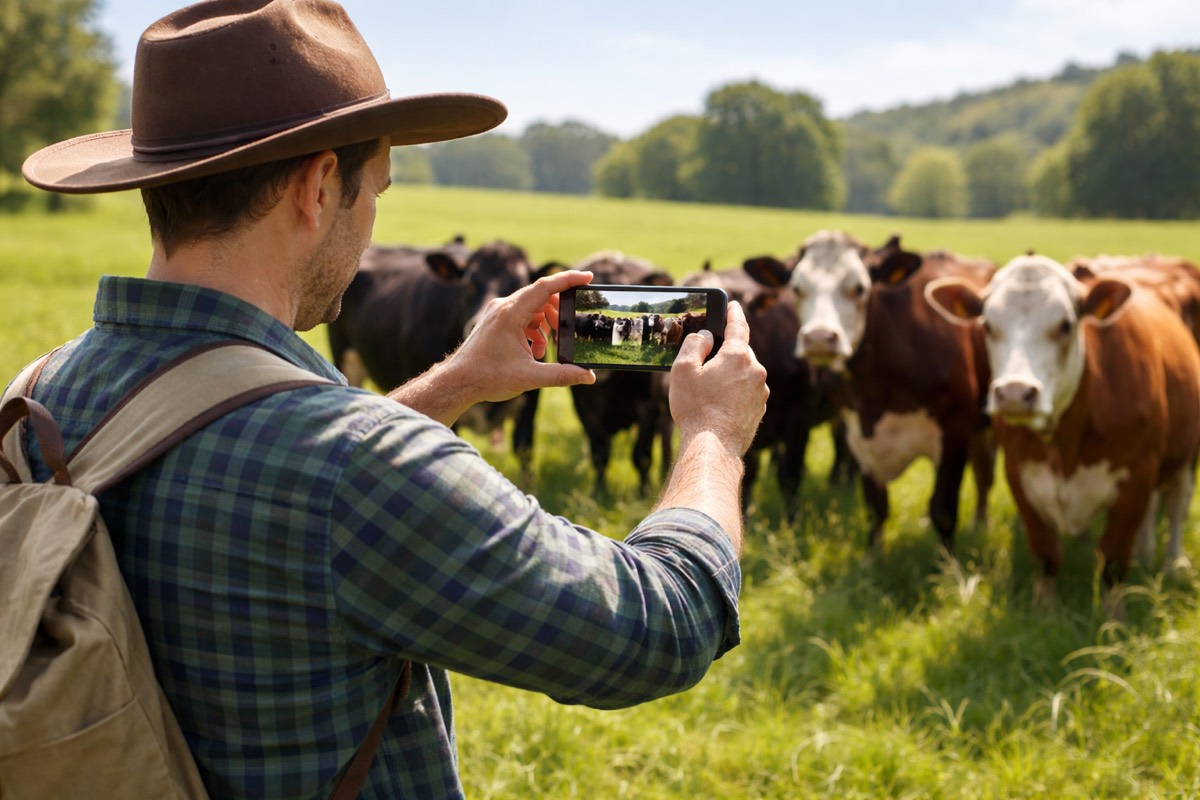
A farmer in a paddock photographing cattle on a phone
How close is a weight from a photo? Tested so far against the scale on a single cow, it was out by anywhere from 2% to 19%. That’s why an estimate is stored apart from scale weights, and never doses an animal or books a kill. When there is a recent scale weight, the card says whether the change is within what a photo can tell — it warns, and never blocks.
Where eNVD stands with Integrity Systems AIffi can prepare, complete, sign and submit National Vendor Declarations for cattle, including the health and MSA declarations, and attach electronic tags once the truck arrives. It is built directly on the Integrity Systems eNVD interface. We have taken Integrity Systems through an integration review and hold a signed licence agreement with them, so cattle consignments go to Integrity Systems for real. Sheep and goat declarations, and the NFAS family of forms, are built but not yet verified end to end. We would rather tell you that here than in a meeting.
Pasture & grazing

From a paddock photo to tomorrow’s fence

Read the feed from a photo. Work out how many days it will carry the mob. Lay out the lanes in one approval, raise a job for each shift, close each lane with a note — and afterwards, measure what they actually ate.

  • Read the paddock One to five photos in the conversation. The paddock comes from where they were taken, and you approve one card before anything is analysed or saved. Back comes a feed range in kilograms of dry matter per hectare with the canopy height, whether it’s ready to graze and why, what’s actually growing, and how sure it is.
  • The pasture ruler A photo on its own has no scale. The ruler is a printed card with one-centimetre blocks and a ground line you stand on the soil. AIffi offers it when a photo arrives without one.
  • How long will it last? Days of feed as a midpoint with the range beside it, built from the paddock’s latest reading, the mobs actually standing in it and their weights, and the residual you want left behind. Every figure is cited to its source, anything waiting on an agronomist’s review says so, and what’s missing is asked for rather than guessed. See one worked through on Ask AIffi
  • Lay out the lanes You pick the width — the days of feed give days, not a width. One approval draws every lane from the paddock’s real boundary rather than a rectangle, along the longest fence unless you say otherwise, with neighbouring lanes sharing their posts. Or draw them by hand in the map studio.
  • A job for each fence shift Raise a move job per lane and assign it to a team member or a saved contact. Assigning notifies nobody, so you send it: text opens your own Messages app filled in, email goes in your name. Schedule a mob to a paddock on a date and confirm it moved as planned; a move to another property raises the NLIS task.
  • Close the lane, and what they ate Close a lane in the conversation or from the map panel, with the day and your note. An analysis before and after, with the strip, the hours and the head count, gives the feed removed per hectare, per head and per head per day — and it declines to work one out when the readings don’t support it.
  • On the map Colour the paddocks by who’s in them, or by pasture — the band from each paddock’s latest analysis, marked stale after thirty days.

The ruler is free: 0–25 cm (PDF) or short swards, 0–15 cm (PDF). Print on A4 at 100% — the card checks itself, 0 to 10 must measure 100 mm.

A feed quality record on Arthur’s Acres: a photograph of grazed ryegrass with a pocket knife for scale, followed by Alffi’s written assessment — composition, canopy height of four to seven centimetres, four hundred to one thousand and fifty kilograms of dry matter per hectare, a grazing readiness of Rest, and four recommendations.
It tells you when the photos aren’t good enough Phones often send a small preview instead of the photo itself, and a small preview hides the detail the reading depends on. From a real paddock on 6 September, the card said so before anything was analysed: “These photos look like a copy rather than the camera original — dragging from Photos often sends a small preview. Detail matters here: a canopy height read off a scale reference needs the full-size image, so the estimate will be less reliable.” On the same paddock, asked why the range was so wide: “…that wide range is real, not a cop-out: the ruler readings showed genuine paddock variability…”

Grazing — not built yet

  • Working out a lane width from the days of feed. Today the width is yours.
  • A days-of-feed layer on the map.
  • A fencing take-off for the lanes.
  • Stocking rate, rotation interval and “days rested” colouring.
  • Reopening a lane once it’s closed.

Grazing — the limits

  • Feed from a photo is a range, and the ranges are wide.
  • The analysis can disagree with itself on the same photographs. The days of feed inherit that, and pooling readings can’t narrow it.
  • Some of the figures behind the days of feed are still waiting on an agronomist’s review, and the answer says which.
  • “What they ate” has been proven on one farm’s observations so far, and it takes the head count as given.
  • A lane is never where a mob “lives”: the mob stays on the paddock, and the move job is the record.
  • Laying out lanes in the conversation hasn’t been tested on a phone.
What grazing costs Lanes and moves are part of this module; the shift jobs are the Jobs module. Reading a pasture photo is metered, and so is every conversation turn — the cost is shown before you use it. See pricing
Cropping — $20/month

Chemicals, fertiliser and seed

Product catalogues that know what’s on the label, so compliance questions have real answers.

  • Label lookup against the APVMA register Search the official Australian register, pull the product, and AIffi reads its label PDF for withholding periods, export intervals and re-entry times.
  • Rates read off the label Application rates and use patterns extracted from the label rather than typed in from memory.
  • Fertiliser and seed catalogues Including brochure ingestion — photograph a supplier brochure and AIffi reads the products out of it.
  • Withholding answered on demand Ask whether a paddock is safe to graze or harvest and get an answer computed from everything actually applied to it.
  • Tank mixing and nozzle calculations Mixing order worked out from each product’s formulation, and nozzle-and-speed maths done for you.

Not yet built: dedicated spray and harvest job records. Field operations are recorded through the jobs and operations surfaces instead.

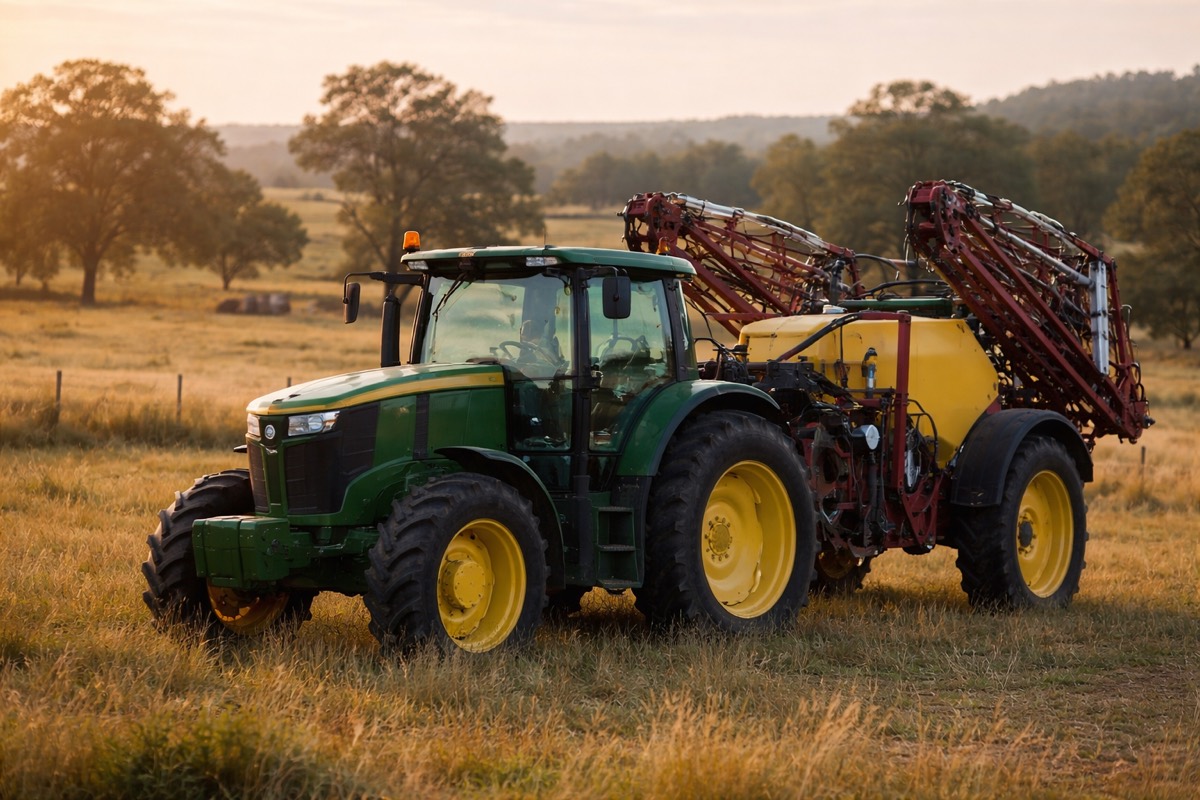
A tractor standing in a paddock at last light with a trailed boom sprayer behind it, booms folded in.
Irrigation — $20/month

Scheduling that knows your soil

Pumps, irrigators, runs and logs, with each run judged against its own soil and crop rather than a calendar reminder.

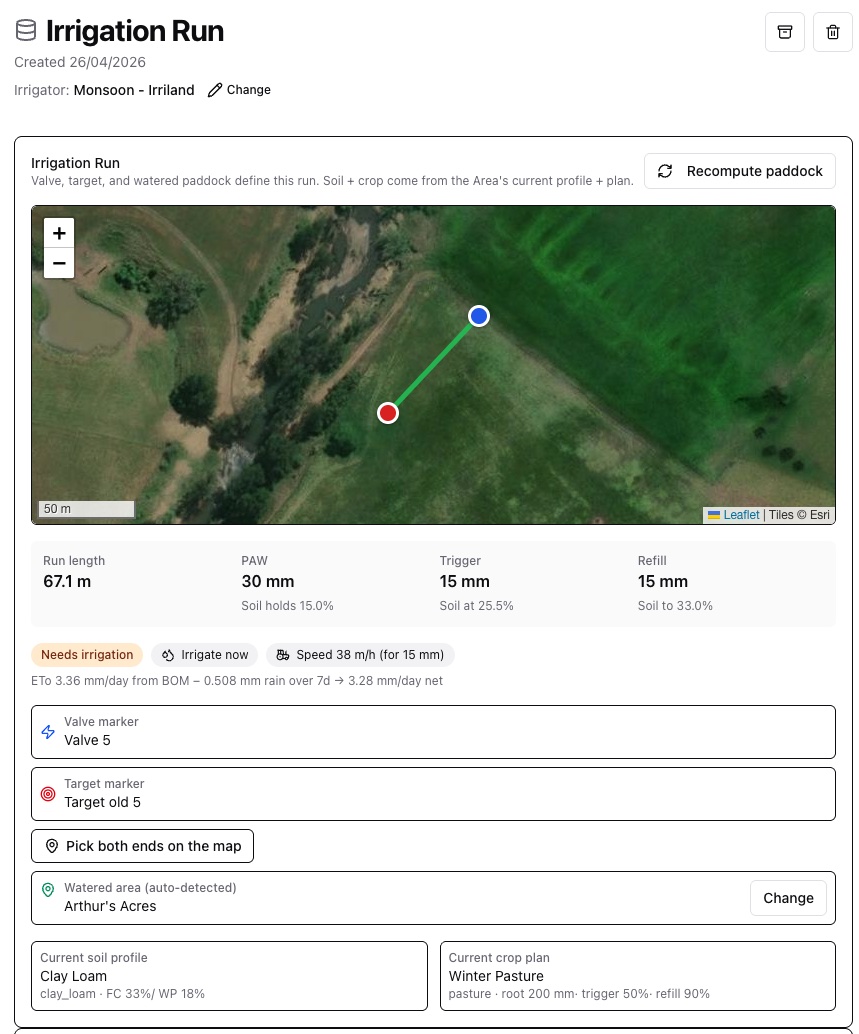
  • Working shows its reasoning Each run is flagged from its last logged soil reading, and the card shows the evapotranspiration working beside it — from the Bureau, minus rainfall over the period, giving net demand per day.
  • Shift irrigator planning Bike-shift and K-line rounds planned around hydrants, with positions generated and grouped into rounds.
  • Calendar and recurring runs Drag to reschedule, with dependent runs cascading rather than needing to be fixed one at a time.
  • Water compliance records Meter readings, allocation tracking and licence details, exportable for your water authority.

Not yet modelled: centre-pivot and lateral-move irrigators. If those are your primary system, this module won’t suit you yet.

An irrigation run in Alffi: the valve and target marked on satellite imagery with the run line between them, 67.1 metres long. Beside it, plant available water of 30 millimetres, a trigger at 15, a Needs irrigation flag, and the working shown — evapotranspiration of 3.36 millimetres a day from the Bureau, less rainfall, giving 3.28 net.
The run itself — valve to target, 67.1 metres, clay loam under winter pasture. The soil holds 30 mm the plant can use; the run is due once half of that is gone, and it puts 15 mm back at 38 metres an hour. The card flags it from the last logged soil reading.
Jobs — $25/month

Work that raises and cancels itself

Most task lists are a place you go to type what you already know. AIffi’s queue watches the farm and puts work on it — then takes it off again when the reason evaporates.

  • It rains, and the jobs clear Rules read live farm state and raise work from it. When the state stops implying the job, the job retracts itself — no one has to tidy up after the weather. The rain threshold is yours to set in Settings.
  • Closed by evidence, not by ticking Record the thing the job asked for and the job closes itself, marked as closed by evidence rather than by hand.
  • Today’s jobs on a phone A field view showing one job per screen — close it, move to the next, undo if you were too quick. Installable to your home screen.
  • A crew, not a solo tool Comments with read receipts so you can see who has actually seen a thread, time entries against the work, and resource requests when someone needs a part or a hand. Read-only members genuinely cannot write — that’s enforced in the database.
  • Work that isn’t on the farm Taking the side-by-side to the dealer is still a job, with the distance from home shown on the map.
  • Drive it by asking Create, assign, reschedule, complete, dismiss, note, book equipment, request a resource, and answer a request — in the conversation, each through the same approval card as everything else.
  • Send it to whoever’s doing it Assign from the queue to a team member or a saved contact, shown by the name you give them. Assigning notifies nobody, so send it from the job: Text opens your own Messages app, filled in, and you press send; Email goes in your name from AIffi’s address, and replies come to you. Bring contractors in from a spreadsheet of your address book, choosing who comes in.

Automatic job rules cover irrigation today. More are coming, but we won’t pretend the whole farm is wired up yet.

What it looks like when it fires One overnight run on a real farm raised eleven irrigation jobs from live state — each one naming its own reason, such as “Crop Run 3 is due — nothing planned” — dated across the following fortnight. Nobody typed any of them.

The rest

Smaller in scope, and mostly things every operation needs regardless of what it produces.

Equipment — $15/mo

Machinery, farm vehicles, utility plant, attachments, sprayers, spreaders and seeders. Service history, running costs, and what’s currently mounted to what. Photograph the rate chart in a spreader’s manual and it becomes a table you can ask for a setting.

Available

Fuel — comes with Irrigation or Equipment

Fuel catalogue, deliveries and consumption against any asset. Enter any two of quantity, price and total and AIffi computes the third.

Available

Weather — $5/mo

Connect an Ecowitt or Davis station for live conditions and automatic rainfall. Bureau of Meteorology evapotranspiration daily. Soil moisture every day from the Bureau’s model — a five-kilometre grid, not a paddock reading — and a satellite scan of a paddock when you ask for one.

Available

Jobs — $25/mo

A work queue that raises and retracts its own work from live farm state. It rains, and the irrigation jobs clear themselves before anyone opens the app. Comments, read receipts, time entries and resource requests. Drive it from a conversation.

Available

Reporting — included in Base

Build a report on anything you keep, including the records you added yourself. PDF, CSV and Excel out, with your branding. Ships with standard templates for water application, fuel consumption, fuel tax credits by Australian financial quarter, equipment utilisation and stock history.

Available
Before any module

A lot comes with the base subscription

The property map, records you set up yourself, sums worked out the way you want them, the bulk editor, imports, photos, the API and webhooks, and Ask AIffi are all part of the platform itself — not things you bolt on module by module.

See how pricing works

Not sure which you’d need?

Tell us what your operation runs and we’ll tell you honestly whether AIffi covers it yet.

Read our approach